Article content
Because of the COVID-19 outbreak, disinfectants are disappearing from store shelves on a large scale. The reason is obvious: the main prevention against the spread of the coronavirus is disinfection. And not only of hands, but also of objects. One is, however, probably forgotten, namely the mobile phone.
According to an expert study, we touch our phone up to 2,600 times a day and our own face up to 550 times
Therefore it is IMPORTANT to keep your mobile clean
Below you will find 6 tips on how to disinfect a mobile phone
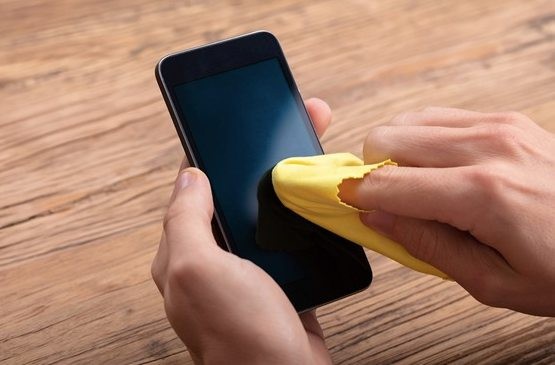
Few of us can imagine life without a mobile phone. We take the phone to work, to school, it is with us all day and we often even fall asleep with it. According to the latest studies, we touch our mobile phone up to 2,600 times and our own face up to 550 times. How should you proceed when disinfecting a mobile phone? We have a few practical tips for you recommended by Honor.
“It would be great if any of our electronic devices remained only in our hands. Do not lend your phone to anyone else. In any case follow proper handwashing and do not forget to disinfect your mobile phone as well,” advises Greek cardiologist Ioannis Gamazov, on behalf of Honor’s European representation, when asked about the issue.
How to disinfect a mobile phone?
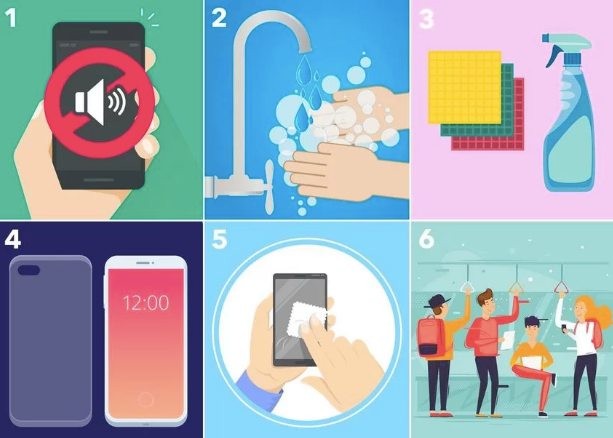
1. Turn off the mobile phone
It may seem trivial, but definitely remember to turn off the mobile phone before the actual disinfection. Especially with very sensitive screens you will avoid launching functions or applications you did not want to start.
2. Wash your hands thoroughly
Before you start the whole disinfection process, wash your hands thoroughly in the recommended way.
3. Use alcohol-based products to clean the phone
Alcohol-based products work well for disinfection, e.g. isopropyl and similar substances (used, for example, to clean glasses or cameras). Never apply the product directly onto the phone screen. Apply it first to a paper tissue or, ideally, a microfiber cloth or micro wipe.
4. Remove the phone from its case or cover
Remove the phone from its case/cover before disinfection. After cleaning the phone, do not forget to perform the same procedure on the cover.
5. Be thorough when disinfecting
Apply a small amount of cleaning product to paper towels or a micro cloth and wipe the entire screen thoroughly. Continue along the sides and back of the phone: be careful in all the seams. Also clean the phone’s cover/case.
6. Do not lend your phone and do not take it out unnecessarily on public transport
Do not lend your phone to anyone whose health status you are not sure of. Do not take it out unnecessarily in public transport; for taking calls you can use wireless headphones. Many of us take the phone to the toilet or to lunch. IF YOU CAN, leave the phone aside in these situations.